
Reuse Payment Methods
Allow your customers to reuse their saved payment methods in Fully Hosted Checkout.
Fully Hosted Checkout allows customers to save and reuse their payment methods for faster checkout experiences. This feature supports both credit/debit cards (via Stripe) and EBT cards.
Reuse EBT payment methods
To enable customers to reuse their saved EBT cards, pass your internal customer identifier in the customer_id field when creating a checkout session. See how to create a Fully Hosted Checkout session.
How it works
- Pass your application's unique customer identifier in the
customer_idfield of the request body. - Forage retrieves the EBT card associated with this customer.
- The saved EBT card appears as a payment option in the checkout interface (if there is one).
- When the customer adds a new EBT card, an option to securely save the card for future use is displayed.
Customer experience
- When a
customer_idattribute is passed, Forage Checkout displays an option to the customer to securely save the card for future use when adding an EBT card.

- If there is an existing EBT card associated with the
customer_id, it is displayed in the Checkout app for a faster checkout.

Reuse credit/debit payment methods (Stripe integration)
Forage integrates with Stripe to process credit/debit payments. To enable customers to reuse their saved credit or debit cards, pass the Stripe Customer ID in the psp_customer_id field when creating a checkout session. See how to create a Fully Hosted Checkout session.
How it works
Pass the Stripe Customer ID to subsequent Fully Hosted Checkout sessions
- Pass the Stripe Customer object ID in the
psp_customer_idfield. - Stripe Customer IDs start with
cus_(for example:cus_KlxCHRXkaueTnw). - Forage uses Stripe's card listing API to retrieve saved payment methods. Forage retrieves only the most recent saved card for that customer in Stripe.
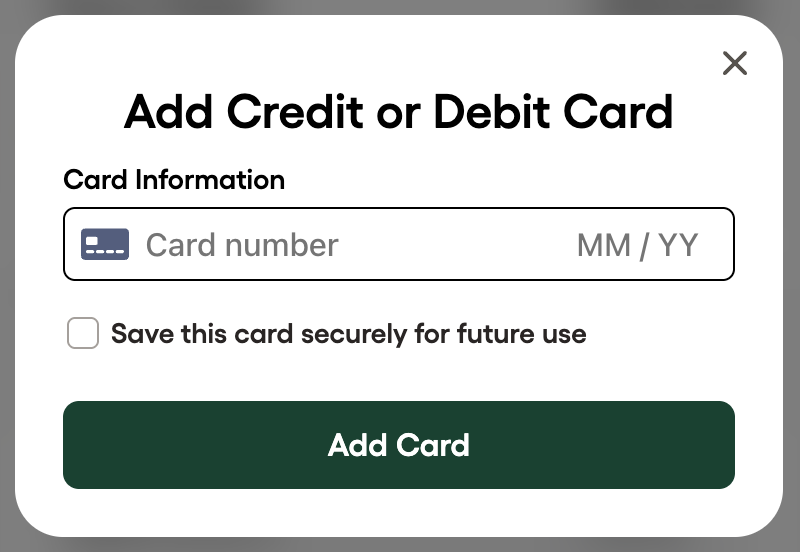
- When customers add new cards during checkout, they can optionally save them for future use by checking the "Save this card securely for future use" checkbox.
Stripe Customer CreationIf a
psp_customer_idis not specified, Forage Checkout automatically creates a Stripe Customer when the customer saves the credit or debit card for future use.
Get the Stripe Customer ID generated by Forage (if needed)
- After the order is paid, Forage Checkout redirects the user to the
success_urlspecified when creating the Fully Hosted Checkout session. - Forage Checkout automatically attaches a query param
forage_order_refto thesuccess_urlto specify the forage order ref that was completed. - Using that
forage_order_ref, query the Forage order details. - The
psp_customer_idis specified in the response of the order.
Customer experience
- When a
psp_customer_idattribute is passed, Forage Checkout displays an option to the customer to securely save the card for future use when adding a credit or debit card.
- If there is an existing credit or debit card associated with the
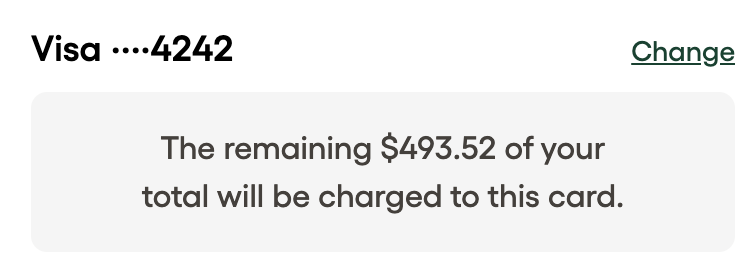
psp_customer_id, it is displayed in the Checkout app for a faster checkout.
Updated 10 months ago