
Reuse Payment Methods
Fully Hosted Checkout allows customers to save and reuse their payment methods for faster checkout experiences. This feature supports both credit/debit cards (via Stripe) and EBT cards.
Reuse EBT payment methods
To enable customers to reuse their saved EBT cards, pass your internal customer identifier in the customer_id field when creating a checkout session. See how to create a Fully Hosted Checkout session.
How it works
- Pass your application's unique customer identifier in the
customer_idfield of the request body. - Forage retrieves the EBT card associated with this customer.
- The saved EBT card appears as a payment option in the checkout interface (if there is one).
- When the customer adds a new EBT card, an option to securely save the card for future use is displayed.
Customer experience
- When a
customer_idattribute is passed, Forage Checkout displays an option to the customer to securely save the card for future use when adding an EBT card.

- If there is an existing EBT card associated with the
customer_id, it is displayed in the Checkout app for a faster checkout.

Reuse credit/debit payment methods (Stripe integration)
Forage integrates with your Payment Service Provider (e.g. Stripe, Braintree, etc) to process credit/debit payments. To enable customers to reuse their saved credit or debit cards, pass the your PSP's customer id in the psp_customer_id field when creating a checkout session.
If a psp_customer_id is not specified, Forage Checkout automatically creates a Customer when the customer saves the credit or debit card for future use.
Get the Customer ID generated by Forage (if needed)
- After the order is paid, Forage Checkout calls your
onSuccessevent handler - Forage Checkout automatically attaches a param
order_refthe forage order ref that was completed. - Using that
order_ref, query the Forage order details. - The
psp_customer_idis specified in the response of the order.
Customer experience
- When a
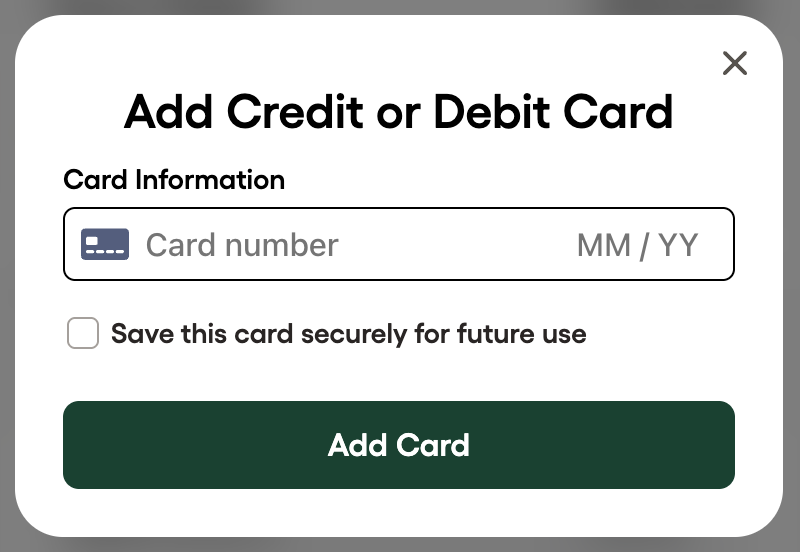
psp_customer_idattribute is passed, Forage Checkout displays an option to the customer to securely save the card for future use when adding a credit or debit card.
- If there is an existing credit or debit card associated with the
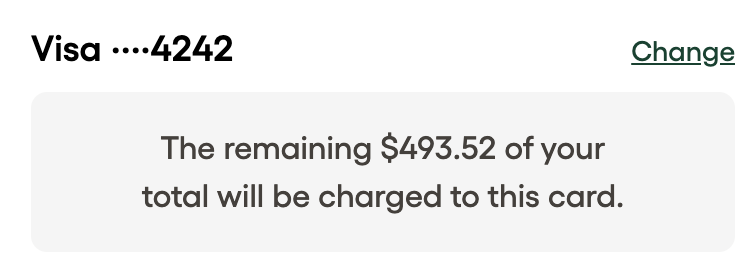
psp_customer_id, it is displayed in the Checkout app for a faster checkout.
Updated 20 days ago