Introduction
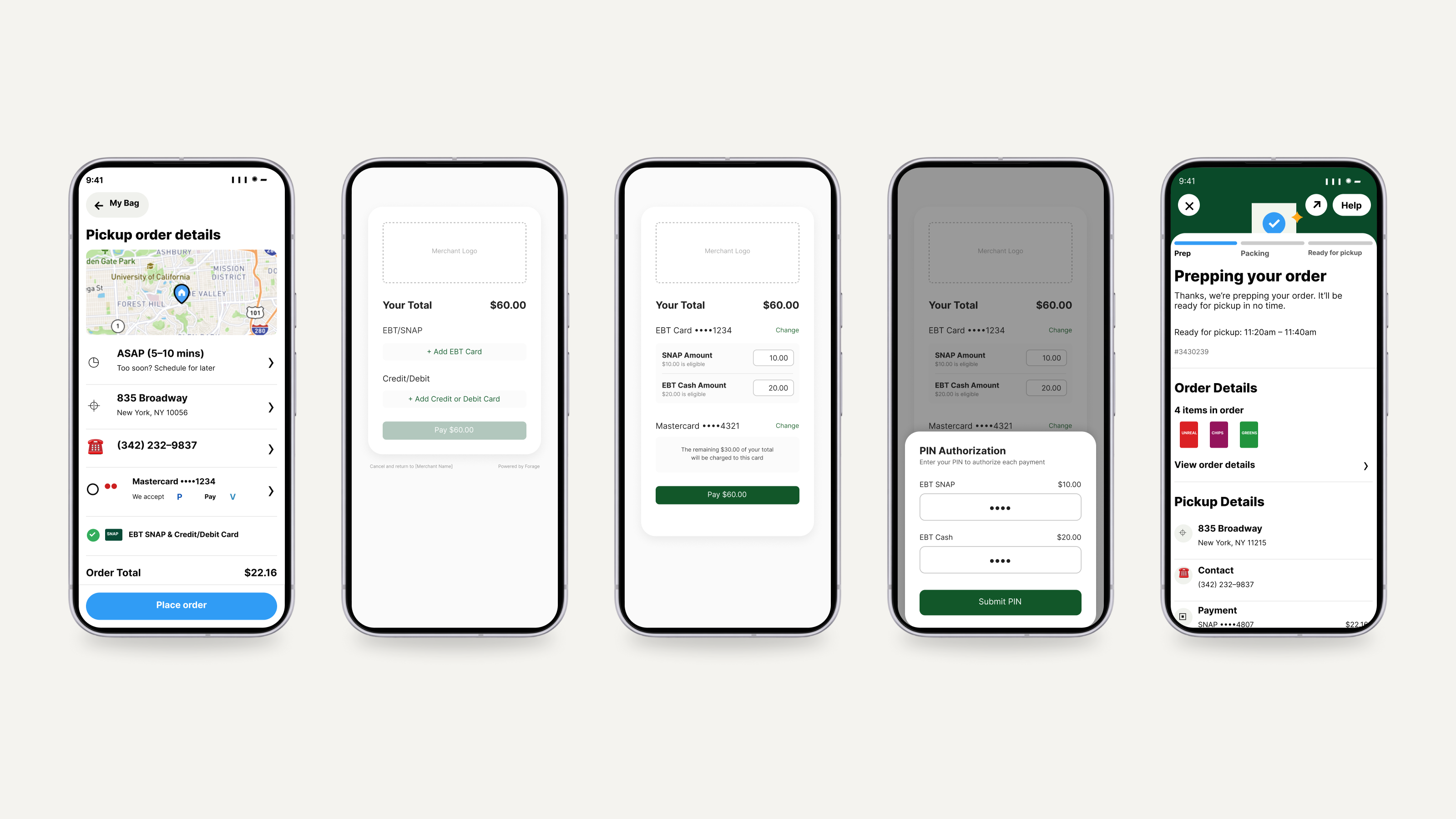
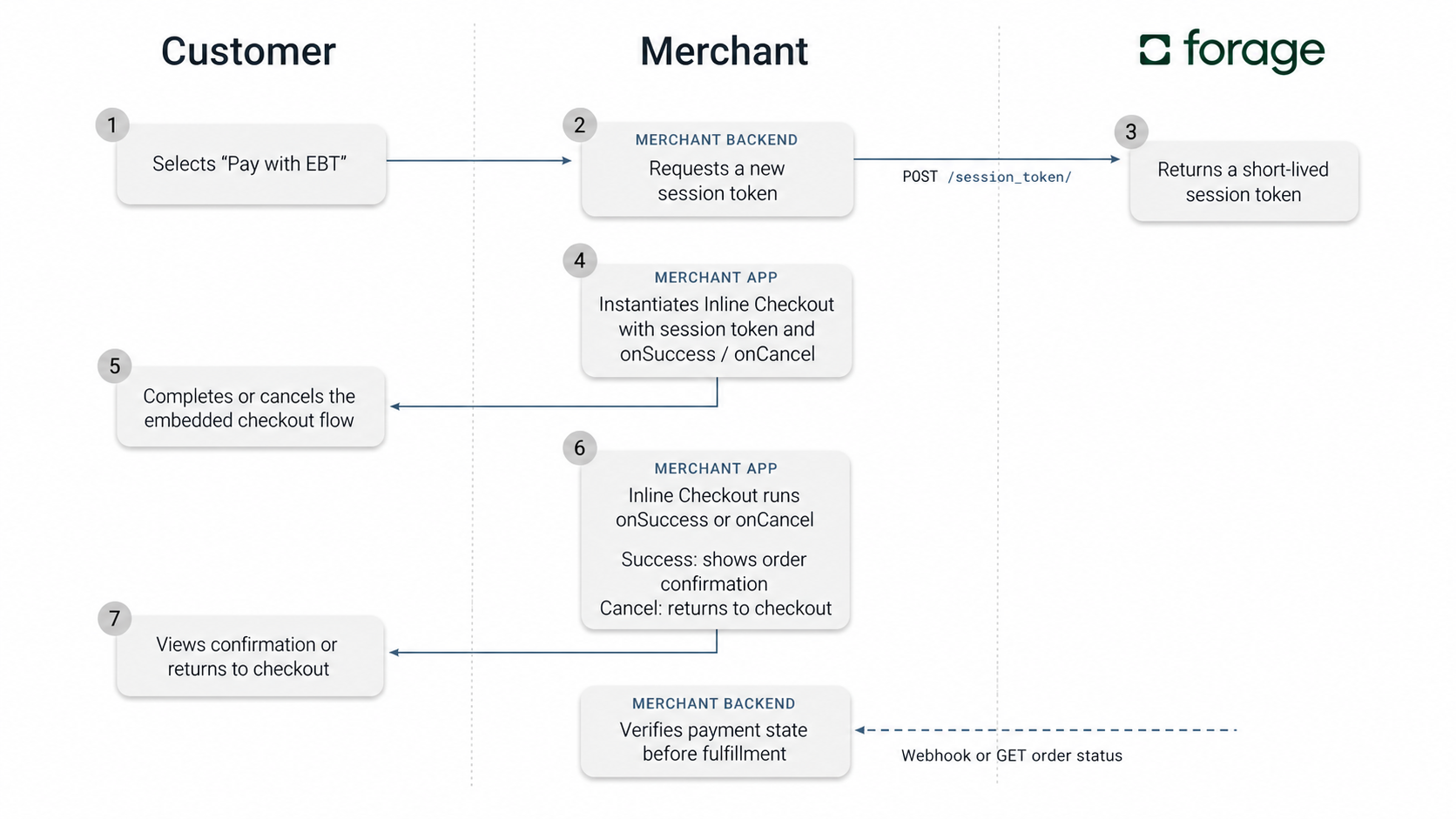
An Inline Checkout integration embeds a UI component into your website or app that processes EBT Card payments and split tender. All you have to do is create a temporary auth token and instantiate the Checkout object with order details, and you're ready to accept EBT payments.
Features
- UI components for collecting an EBT Card number and PIN
- Field for a customer to set EBT SNAP and EBT Cash amounts
- Credit/debit card processing, via your preferred payment service provider
- Split tender
- Sales tax calculation that exempts the SNAP tendered amount
- Messages displayed to the customer on EBT balance check and payment errors
- Custom styling to match your app
When To Choose Inline CheckoutChoose Inline Checkout when you want to launch EBT quickly with minimal engineering work while maintaining your experience, tech stack, and payment processor of choice
How it works
Requirements
In addition to the universal prerequisites for working with Forage, if you're building an Inline Checkout integration, then:
- You need an account with a payment service provider (PSP).
- You need to share limited-scope API keys for your PSP with Forage, because Forage routes credit/debit payments to your PSP account.
Next steps
- Build an Inline Checkout app
- Consider other Forage integration options: Custom, Forage JS
Updated 20 days ago
Did this page help you?