
How WIC Payments Work
How WIC differs from dollar-based payment methods: the voucher model, payment lifecycle, and straddle rules.
This WIC Integration Guide is composed of three parts:
[ 👉 How WIC Payments Work | Integrate WIC with Forage | WIC API Reference ]
How WIC Works
WIC payment processing differs fundamentally from dollar-based payment methods. Understanding these differences before implementing helps you build the right mental model for the integration.
Item Lists
WIC has historically operated as a voucher program. Before electronic payment processing was common, WIC recipients received paper vouchers with a begin-use and an end-use date, a list of allowable items, and an associated quantity or maximum weight for each item. Notably, these vouchers did not include specific dollar amounts or spending limits that participants had to track; instead, they specified benefits in terms of item quantities.
Modern EBT WIC is an electronic implementation of this voucher model. Because of the special nature of the voucher, WIC payment processing systems must support concepts and workflows that differ from those used for dollar-based payment methods like credit, debit, or EBT SNAP. For EBT background, see EBT payments 101. For example, split-tender does not apply to WIC-covered items, since the full cost of those items is covered by the voucher.
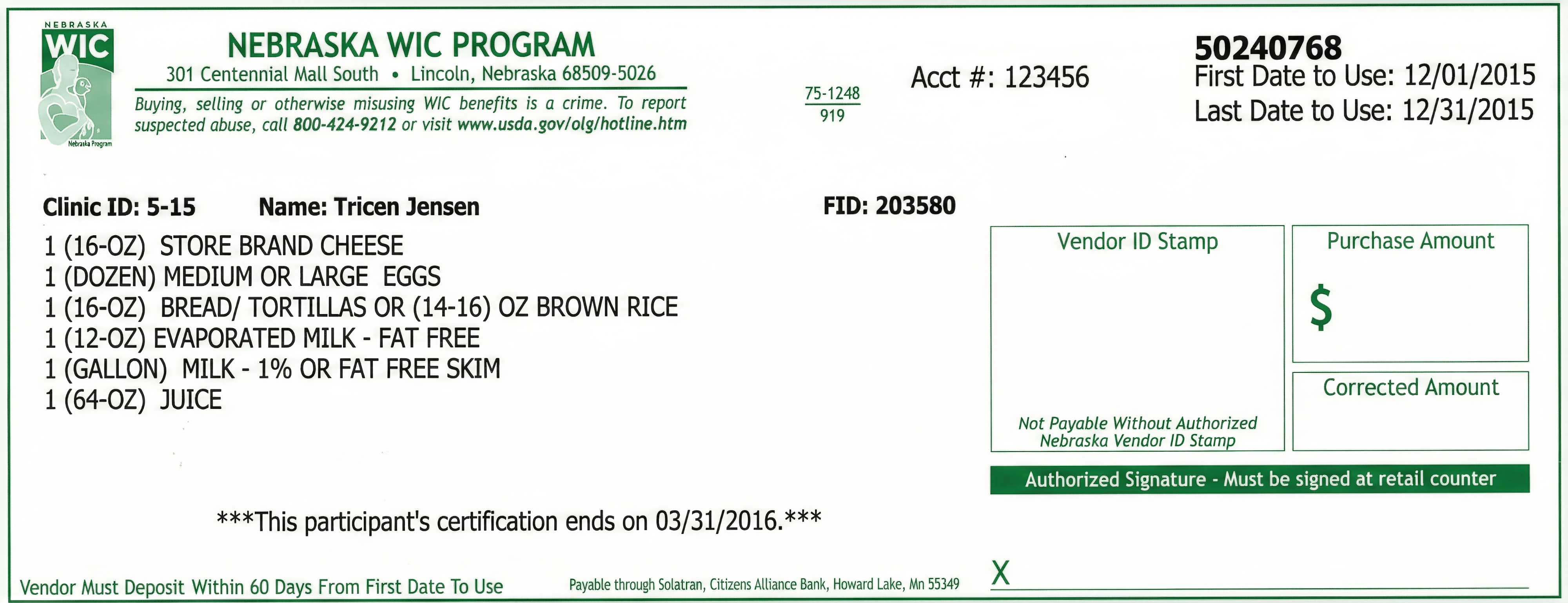
A sample pre-EBT WIC voucher. The WIC participant could redeem this voucher to receive the listed items. After redemption by the participant, the merchant – not the participant – enters the dollar amount to receive reimbursement from the WIC program for the cost of the items. Modern WIC EBT systems implement the same business process electronically.
Fruits and Vegetables
WIC provides vouchers for fruits and vegetables in set dollar amounts. Split-tender payments are allowed for fruits and vegetables when the cost of the selected items exceeds the voucher amount. The "overage" in such split tender scenarios is not tax-exempt.
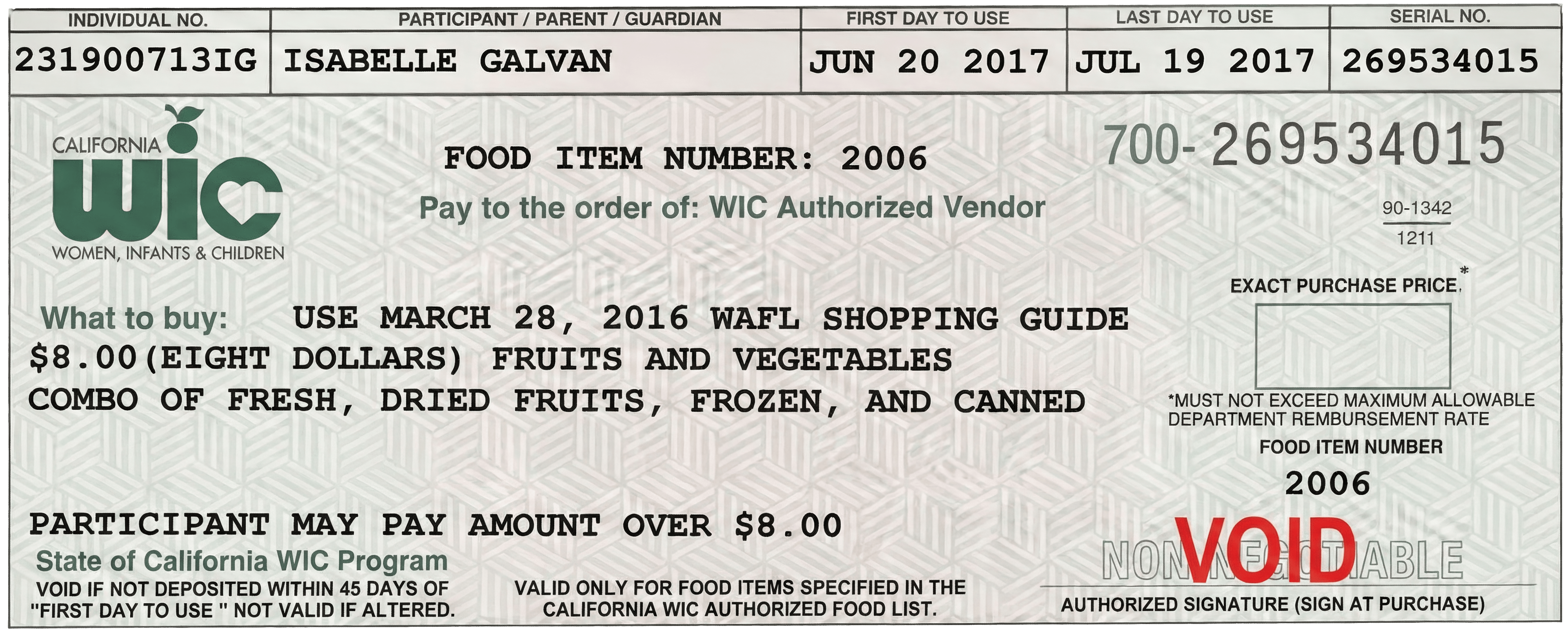
A sample pre-EBT WIC voucher for fruits and vegetables. Split-tender payments for fruits and vegetables are explicitly permitted.
The WIC Payment Lifecycle
WIC payments follow a structured lifecycle from catalog setup through post-delivery restrictions. Unlike card payments, WIC requires upfront eligibility verification, real-time benefit tracking, and strict post-transaction rules. The diagram below shows how each integration phase connects:
flowchart TD
    A["Sync APL Data<br>(nightly)"]:::setup --> B["Display WIC Eligibility<br>— non Storefront"]:::setup
    B --> C["Verify PIN &<br>Retrieve Benefits"]:::session
    C --> D["Build Cart & Confirm<br>Benefit Usage"]:::session
    D --> E["Capture Payment<br>at Checkout"]:::payment
    E --> F{"Fulfillment<br>Changes?"}:::decision
    F -- "No" --> G["Deliver to<br>Customer"]:::delivery
    F -- "Yes" --> H["Refund / Substitute<br>Items"]:::payment
    H --> G
    G --> I["No Refunds After Delivery<br>(In-kind exchange only)"]:::warning

    classDef setup fill:#dbeafe,stroke:#2563eb,color:#1e3a5f
    classDef session fill:#e0e7ff,stroke:#4f46e5,color:#312e81
    classDef payment fill:#d1fae5,stroke:#059669,color:#064e3b
    classDef decision fill:#fef3c7,stroke:#d97706,color:#78350f
    classDef delivery fill:#f3f4f6,stroke:#6b7280,color:#1f2937
    classDef warning fill:#fee2e2,stroke:#dc2626,color:#7f1d1d
Key differences from card payments:
- No authorization/capture split — Payment capture happens at checkout, not order fulfillment
- Refunds must happen before delivery — After fulfillment, only in-kind substitutions are allowed (federal regulation)
- Eligibility is prescriptive, not monetary — A participant's benefit balance is a set of item-specific quotas (e.g., 2 gallons of milk, 1 loaf of bread), not a dollar amount
Each phase is described step by step in Integrate WIC with Forage.
How WIC Straddle Rules Work
Some agencies allow "sub-category straddle" (also called "broadband straddle"). This lets customers use their Broadband benefit (subcategory: 000) to purchase items when their specific subcategory benefit is insufficient or unavailable.
How straddle works:
- The system first looks for benefits matching the item's specific subcategory (e.g.,
002for 2% Milk). - If the specific subcategory balance is insufficient and the item is straddle-eligible, the system pulls from the Broadband subcategory (
000) to cover the difference.
flowchart TD
    A["Item in cart<br>(e.g., 2% Milk — subcategory 002)"]:::setup
    A --> B{"Specific subcategory<br>balance available?"}:::decision
    B -- Yes --> C["✅ Deduct from<br>specific subcategory<br>(e.g., 002 — 2% Milk)"]:::payment
    B -- No --> D{"Straddle enabled?<br>broadband_straddle_allowed = true<br>AND item straddle = true"}:::decision
    D -- Yes --> E["✅ Deduct from Broadband<br>subcategory (000)<br>receipt: subcategory_code '000'"]:::payment
    D -- No --> F["❌ Item declined<br>action_code 03"]:::warning

    classDef setup fill:#dbeafe,stroke:#2563eb,color:#1e3a5f
    classDef decision fill:#fef3c7,stroke:#d97706,color:#78350f
    classDef payment fill:#d1fae5,stroke:#059669,color:#064e3b
    classDef warning fill:#fee2e2,stroke:#dc2626,color:#7f1d1d
For example, a customer with no 2% Milk (002) benefit but with Broadband Milk (000) benefit can still purchase 2% Milk; the Broadband benefit covers it.
No special handling is required on your end. You can identify that a straddle occurred by checking receipt.prescription for multiple decremented entries, one of which has subcategory_code: "000". See Capture Action Codes and Response Scenarios for the straddle response example. For how Forage structures and delivers receipt data, see receipt requirements.
Whether straddle is permitted for a given item depends on the agency (broadband_straddle_allowed in the /api/program_details/ response) and the item's eligibility flag in the APL (eligible_agencies[].straddle).
Updated 2 days ago